
Introduction to Finlay
Finlay is an AI agent platform that lets anyone create autonomous agents capable of reasoning, planning, and executing multi-step tasks across tools and workflows.
Our mission is to democratize AI agents the same way personal computers democratized computing. Whether you're a developer who wants full programmatic control or someone who prefers describing what you need in plain language, Finlay adapts to your workflow and handles the complexity of execution, state management, and scaling.
Agent Types
Finlay offers three distinct agent architectures, each optimized for different complexity levels and use cases. Understanding the differences will help you choose the right approach for your project.
Task Agents
Single-purpose agents optimized for specific workflows. Task agents execute predefined sequences with minimal overhead, making them ideal for automation that needs to run thousands of times per day. They support up to 10 tool calls per execution and complete in under 30 seconds on average.
Cognitive Agents
Full reasoning capabilities with memory persistence. Cognitive agents can analyze problems, consider multiple approaches, and adapt their strategy based on intermediate results. They maintain episodic and semantic memory across sessions, learning from past interactions to improve over time.
Orchestrator Agents
Coordinate multiple sub-agents for enterprise workflows. Orchestrators decompose complex objectives into subtasks, delegate to specialized agents, aggregate results, and handle failures gracefully. They're designed for workflows that span multiple systems and require human-in-the-loop approval gates.
Development Options
Choose between full programmatic control with our TypeScript SDK or rapid prototyping with the visual no-code builder. Both approaches produce the same underlying agent configuration and can be mixed within a project.
| SDK | No-Code Builder | |
|---|---|---|
| What it is | Programmatic agent creation with full control | Visual interface for designing agents |
| Best for | Custom logic and integrations | Rapid prototyping and simple workflows |
| Learn more |
Recommended path for new developers
Follow these steps to create your first agent.
See it in action
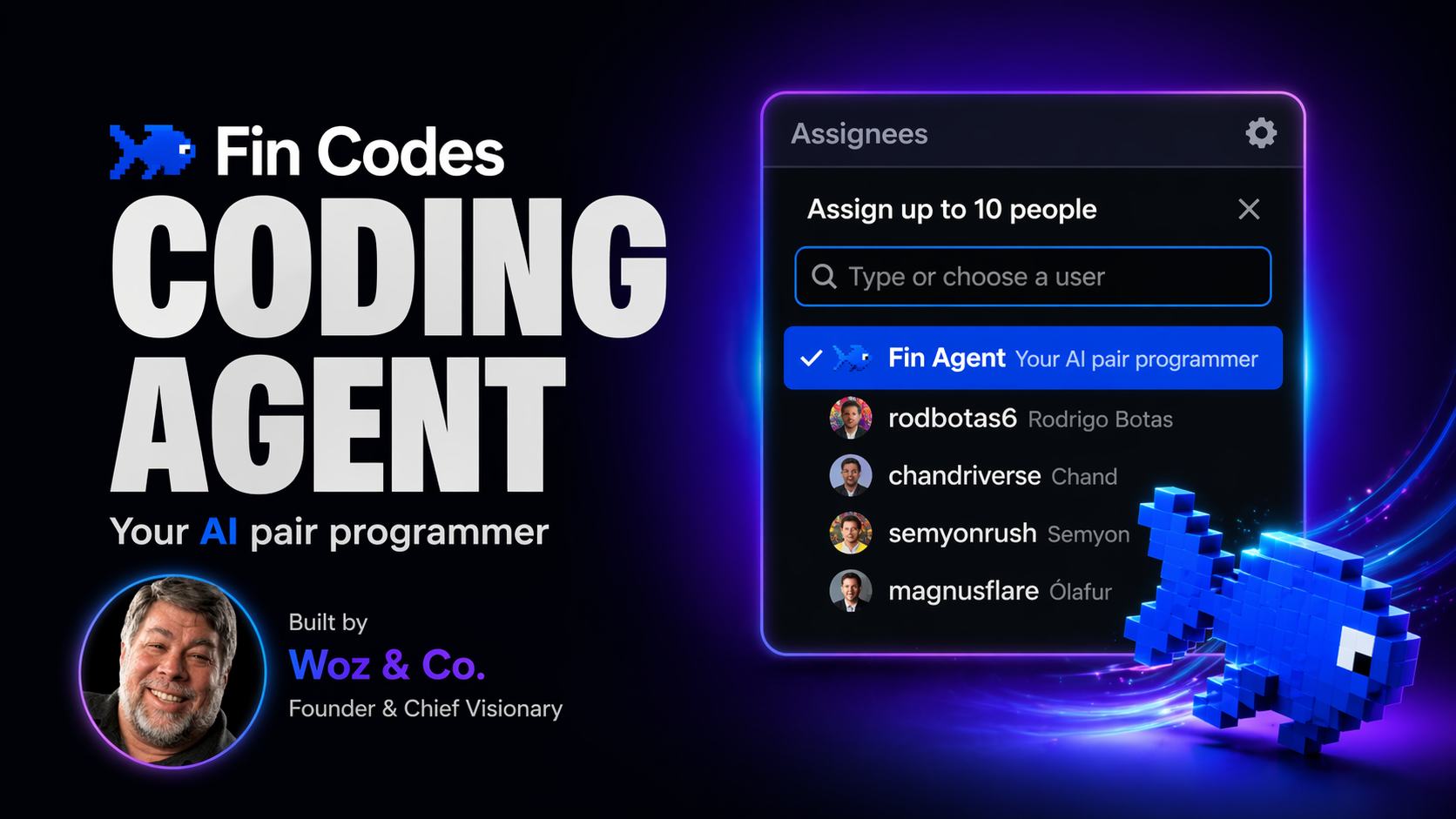
Watch Fin Agent being assigned as an AI pair programmer inside a real development workflow.
Develop with Finlay
Tools to help you build and scale agents.
Key capabilities
Finlay agents combine several core capabilities that work together to enable autonomous task execution. These capabilities are what differentiate agents from simple automation scripts or chatbots.
Autonomous Reasoning
Agents analyze problems, evaluate multiple approaches, and make decisions based on context. When something unexpected happens, they adapt their strategy rather than failing. This reasoning loop continues until the goal is achieved or the agent determines it cannot proceed.
Tool Integration
Connect to 100+ pre-built integrations including Slack, Gmail, Notion, GitHub, Salesforce, and custom APIs. Each tool is strongly typed with automatic retry logic, rate limiting, and error handling. OAuth flows are managed automatically.
Persistent Memory
Agents remember context across sessions through three memory types: working memory for current task context, episodic memory for past experiences, and semantic memory for learned facts and preferences. Memory is searchable via natural language queries.
Scheduling & Triggers
Run agents on cron schedules, fixed intervals, or trigger them via webhooks from external systems. The scheduler handles timezone conversions, missed run recovery, and concurrent execution limits. Agents can also be triggered by events from connected integrations.
Installation
The Finlay SDK is available for Node.js 18+ and provides full TypeScript support with comprehensive type definitions for all APIs. The SDK handles authentication, request signing, response parsing, and automatic retries for transient errors.
Install the SDK using your preferred package manager:
npm install @finlay/sdkSet your API key as an environment variable:
export FINLAY_API_KEY="your-api-key"Basic example
Create and run a simple agent:
import { Finlay } from '@finlay/sdk'

const finlay = new Finlay()

const agent = await finlay.agents.create({
  name: 'research-assistant',
  description: 'Searches the web and summarizes findings',
  tools: ['web_search', 'summarize']
})

const result = await agent.run({
  task: 'Find the latest news on AI agents'
})

console.log(result.output)
The agent will:
- Parse the task and plan the approach
- Call the web_search tool to find relevant articles
- Call the summarize tool to condense the findings
- Return the structured result
Architecture
Finlay agents run in a managed execution environment with built-in observability and error handling. The architecture is designed for reliability at scale.
Your application sends a task to the agent via the SDK or API.
The agent analyzes the task, retrieves relevant memory, and creates an execution plan.
Tools are called in sequence or parallel. Results are validated and fed back into reasoning.
The final output is returned along with a full trace for debugging.
Tools
Tools are capabilities that agents can invoke. Each tool has a name, description, and typed parameters.
Built-in tools
| Tool | Description |
|---|---|
web_search | Search the web and return relevant results |
browse_web | Navigate pages, extract content, fill forms |
send_email | Send emails with HTML or plain text |
http_request | Make HTTP requests to external APIs |
read_file | Read content from cloud storage |
Custom tools
Define tools that wrap your own APIs:
import { defineTool } from '@finlay/sdk'

const slackTool = defineTool({
  name: 'send_slack',
  description: 'Send a message to a Slack channel',
  parameters: {
    type: 'object',
    properties: {
      channel: { type: 'string' },
      message: { type: 'string' }
    },
    required: ['channel', 'message']
  },
  execute: async ({ channel, message }) => {
    await slack.chat.postMessage({ channel, text: message })
    return { success: true }
  }
})
Memory
Agents can store and retrieve information across sessions using the memory system.
Working
Temporary context for the current task. Cleared on completion.
Episodic
Records of past interactions. Searchable by similarity.
Semantic
Facts and preferences. Persists indefinitely.
// Store a fact
await agent.memory.store({
  type: 'semantic',
  content: 'User prefers brief summaries'
})

// Query memory
const memories = await agent.memory.search({
  query: 'user preferences',
  limit: 5
})
Runs
A run represents a single execution of an agent. Every run is captured with full traceability.
Runs progress through states: pending → running → completed or failed.
// Start async run
const run = await agent.run({
  task: 'Analyze Q3 data',
  async: true
})

// Wait for completion
const result = await finlay.runs.wait(run.id)

// Get trace for debugging
const trace = await finlay.runs.trace(run.id)
Platform features
Scheduling
Run agents on cron schedules or intervals with automatic retry.
Web IDE
Build and test agents in your browser with live preview.
Integrations
100+ pre-built connectors with OAuth handling.
Observability
Full traces, logs, and metrics for every run.
Execution
Every agent run is executed in an isolated, managed environment. Finlay handles provisioning, scaling, and teardown automatically — you never interact with infrastructure directly.
Sandboxed Runtimes
Each run gets its own isolated sandbox with a defined CPU, memory, and timeout budget. Sandboxes are created in under 200ms and destroyed immediately after the run completes.
Execution Traces
Every tool call, LLM response, and decision is logged in a structured trace. Traces are stored for 30 days and can be exported via the REST API.
Timeout & Retry Policies
Configure per-run timeouts from 30 seconds to 24 hours. Automatic retries with exponential backoff handle transient failures without manual intervention.
Scheduling
Run agents automatically on a schedule using cron expressions, interval-based triggers, or event-driven webhooks. The scheduler handles timezone normalization, missed run recovery, and concurrency limits.
Cron Expressions
Use standard 5-field cron expressions to define run schedules. Cron jobs support second-level precision and run reliably even under infrastructure failures.
Missed Run Recovery
If a scheduled run is missed due to downtime, Finlay automatically re-queues it with a configurable catchup window so no critical workflows are skipped.
Concurrency Controls
Set max concurrent runs per agent to prevent overloading downstream APIs. Excess runs are queued with configurable queue depth limits.
Web IDE
Build, test, and debug agents directly in your browser without any local setup. The Web IDE includes a code editor, live log viewer, run history, and an integrated terminal for testing tool calls.
Live Execution
Trigger a run directly from the editor and watch the execution trace appear in real-time. Step through each tool call and LLM reasoning step without leaving the browser.
Variable Inspector
Inspect agent state, memory contents, and tool outputs at any point in the run. Set breakpoints to pause execution and examine the environment interactively.
Local Development
Use the Finlay CLI to develop and test agents locally before deploying to the platform. The local runtime mirrors the production execution environment so you never encounter environment-specific bugs at deploy time.
CLI Installation
Install the Finlay CLI globally with npm install -g @finlay/cli. The CLI authenticates with your API key and syncs agent definitions to the platform on deploy.
Hot Reload
Run finlay dev to start a local server with hot reload. Changes to your agent code are reflected instantly without restarting the process.
Integrations Overview
Finlay ships with 100+ pre-built integrations across productivity, communication, developer tools, CRMs, and data platforms. Each integration is fully typed, handles OAuth flows automatically, and includes built-in retry logic.
Slack
Send messages, create channels, read threads
GitHub
Open PRs, review code, manage issues
Notion
Read and write pages, databases, and blocks
Gmail
Send and read emails, manage labels
Salesforce
Read and update CRM records
Custom API
Connect any REST or GraphQL endpoint
OAuth Apps
For integrations that require delegated user authorization, Finlay manages the full OAuth 2.0 flow on your behalf. Tokens are encrypted at rest, refreshed automatically, and scoped to the minimum permissions required.
Token Management
Access tokens are stored encrypted using AES-256. Refresh tokens are rotated automatically before expiry so your agents never encounter auth failures mid-run.
Scope Control
Request only the OAuth scopes your agent needs. Finlay validates requested scopes against each provider's allowed list and warns about overly permissive scope configurations.
Webhooks
Trigger agent runs in response to external events using webhooks. Finlay provides a unique HTTPS endpoint per agent that accepts JSON payloads and passes them as the run input.
Signature Verification
All incoming webhook payloads are verified using HMAC-SHA256 signatures. Invalid or tampered payloads are rejected before reaching your agent code.
Delivery Guarantees
Webhook events are queued durably and retried up to 5 times with exponential backoff. You can inspect delivery history and replay failed events from the dashboard.
Custom Tools
Extend your agents with custom tools that wrap any logic — from internal APIs to complex data transformations. Tools are defined as typed functions and made available to agents at runtime.
Type-Safe Definitions
Define tool inputs and outputs with full TypeScript types. The SDK generates a JSON Schema from your types automatically, which the agent uses to understand how to call the tool correctly.
Error Handling
Tools can return structured errors that the agent will reason about and handle — retrying with different parameters, falling back to an alternative tool, or surfacing the error to the user.
Authentication
All API requests are authenticated using API keys. Keys are scoped to a project and can be restricted to specific endpoints, IP ranges, and rate limits.
API Key Scoping
Create keys with read-only, read-write, or admin scopes. Keys can be restricted to specific agents or resources to enforce the principle of least privilege.
Key Rotation
Rotate API keys without downtime using overlapping validity windows. The platform supports simultaneous active keys per project to allow zero-downtime rotation.
Permissions
Role-based access control (RBAC) lets you define exactly what each team member can do within a project. Roles are additive and can be customized per workspace.
| Role | Can view | Can run | Can edit | Can manage |
|---|---|---|---|---|
| Viewer | ✓ | — | — | — |
| Operator | ✓ | ✓ | — | — |
| Developer | ✓ | ✓ | ✓ | — |
| Admin | ✓ | ✓ | ✓ | ✓ |
Audit Logs
Every action taken by users or agents is recorded in an immutable audit log. Logs capture the actor, action, timestamp, IP address, and before/after state of any mutated resource.
Retention & Export
Audit logs are retained for 12 months by default and can be streamed to your own SIEM via webhook or exported as JSON/CSV from the dashboard.
Filtering
Filter logs by actor, resource type, action, date range, or outcome. Saved filters can be bookmarked and shared across your team for recurring compliance reviews.
Compliance
Finlay is built to meet the compliance requirements of modern enterprises. We maintain certifications and controls that allow our customers to operate in regulated industries.
SOC 2 Type II
Annual third-party audit of security controls
GDPR
Full data processing agreement available
HIPAA
BAA available for healthcare customers
ISO 27001
Information security management certification
CLI Reference
The Finlay CLI provides commands for managing agents, triggering runs, tailing logs, and deploying from your local environment.
finlay loginAuthenticate with your API keyfinlay devStart local development server with hot reloadfinlay deployDeploy agent to the platformfinlay run <agent>Trigger a manual runfinlay logs <agent>Tail live execution logsfinlay agents listList all agents in the projectConfiguration
Agent configuration is defined in a finlay.config.ts file at the root of your project. This file controls agent defaults, tool allowlists, memory settings, and execution policies.
SDK reference
Primary SDK modules:
finlay.agentsCreate, configure, and manage agents.
finlay.toolsDefine custom tools and access built-in integrations.
finlay.memoryQuery and modify agent memory.
finlay.runsAccess run history, traces, and logs.
REST API
Base URL:
https://api.finlay.codes/v1Authentication:
curl https://api.finlay.codes/v1/agents \
  -H "Authorization: Bearer your_api_key"
Endpoints
/agentsList agents/agentsCreate agent/agents/:id/runsExecute run/runs/:idGet run